How Do I Pay My ICE Electricity Bill Online?
Dealing with utility bills in a new country can feel like navigating a maze blindfolded, especially when everything from the online portals to the language is different. For many of us expats, figuring out how to pay the electricity bill to ICE, the Instituto Costarricense de Electricidad, can be a real head-scratcher. This comprehensive guide is here to walk you through the various online payment methods, offering practical advice and troubleshooting tips to make paying your ICE electricity bill a smooth, stress-free experience.
Why Online Payments Are a Lifesaver and a Headache Sometimes
When you first arrive in Costa Rica, everything feels new and exciting. Then the bills start rolling in, and suddenly you're faced with a whole new administrative system. Paying utilities like your electricity bill can quickly turn from a minor chore into a major ordeal if you don't know the ropes.
The Allure of Digital Convenience
Let's be honest, standing in line at the local ICE office or a punto de pago (payment point) like a grocery store or pharmacy isn't anyone's idea of fun, especially when you could be enjoying the pura vida. The promise of online payments is freedom from these queues, the ability to pay from your couch at 10 PM, and avoiding any potential language barriers at a payment counter. It saves precious time that you could be spending at the beach, exploring a volcano, or simply relaxing in your casita. Plus, for those of us who juggle life in multiple countries, having the ability to manage finances remotely is invaluable.
However, the reality isn't always as simple as clicking a button. Costa Rica's digital infrastructure has come a long way, but it can still be a bit… unique. There might be specific browser requirements, unexpected error messages in Spanish, or a system that decides to take an unscheduled siesta. These moments can be incredibly frustrating, especially when you just want to ensure your lights stay on! But don't despair; once you get the hang of it, these systems become second nature.
Understanding ICE and the Power Grid
ICE is the national electricity provider in Costa Rica, and it's a huge institution. They're responsible for generating, transmitting, and distributing electricity across the entire country, often with a significant reliance on renewable sources like hydro, geothermal, and wind power, which is pretty cool! While generally reliable, the system, like any other, can have its quirks. Outages can happen, especially during heavy rainy season storms, and sometimes the online payment portal might reflect that the systems are a bit overloaded.
Your bill comes from ICE, or sometimes CNFL (Compañía Nacional de Fuerza y Luz), which is an ICE subsidiary serving the greater San José metropolitan area. The important thing is that the underlying payment mechanisms are generally the same. You'll need your NIS – your Número de Identificación de Servicio – which is a unique number identifying your specific electricity meter and service. This number is paramount; without it, you can't pay your bill online or in person. It's usually prominently displayed on your physical or digital bill, so keep it handy.
The Step-by-Step Guide to Paying Your ICE Bill Through the ICE Website
When it comes to paying your electricity bill directly, the ICE website is your most direct route. It might seem daunting at first, but with a little guidance, you'll be navigating it like a pro.
Getting Started with the ICE Portal
First things first, you need to head to the official ICE website. Be careful to ensure you're on the legitimate site to avoid any phishing scams. The official domain usually ends in .go.cr. Once there, you'll want to look for the "Servicios en Línea" or "Pago de Factura" section. Often, there's a prominent button or link for "Consulta y Pago de Facturas" (Bill Inquiry and Payment).
Upon entering this section, you'll be prompted to enter your NIS. This is that crucial Número de Identificación de Servicio we talked about. Make sure to input it accurately, as even a single digit wrong will lead to an error. Some systems might also ask for your número de medidor (meter number) or your número de cédula (ID number) if you're a registered account holder, but the NIS is usually sufficient to pull up the bill.
If it's your first time using the portal, you might also have the option to register for an account. While not always strictly necessary for a one-time payment, registering can be beneficial for tracking your usage, viewing past bills, and setting up other services. It typically requires an email address and creating a password, which might involve a few extra steps if the site sends a confirmation link to your email. This can be a bit tedious, but it can make future payments much smoother.
Navigating the Payment Process
Once you've entered your NIS, the system should display your current bill, including the amount due and the due date. Take a moment to verify that the amount looks correct and that it corresponds to your address or service. It’s always a good practice, just in case there’s a mix-up.
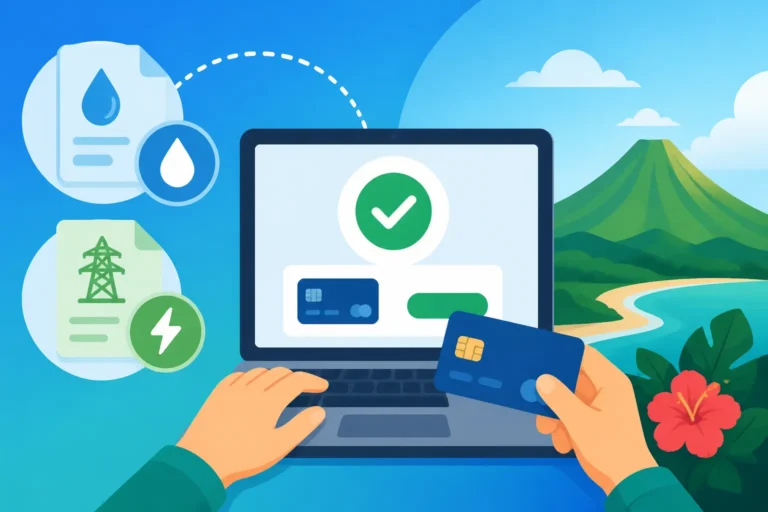
You'll then typically see options for payment. Most commonly, this will involve credit or debit cards (tarjetas de crédito o débito). You'll enter your card number, expiration date, and the CVV security code, just like any other online purchase. The system will usually accept major international cards like Visa and Mastercard, but sometimes specific foreign-issued cards might encounter issues. If your card isn't going through, don't immediately assume something is wrong with your card; sometimes, it's just the quirks of the local system or a temporary glitch.
After inputting your card details, you’ll click to confirm the payment. It might take a few seconds for the transaction to process. Sometimes, you'll get a confirmation screen right away, and other times, you might be redirected or the page might refresh. If the transaction seems to hang or you get an error message, try not to panic. Take a screenshot if possible, as this can be useful for troubleshooting later.
Confirmation and Record Keeping
When the payment successfully goes through, the website should display a confirmation message, often with a transaction number (número de transacción) or an electronic receipt (comprobante de pago). This is your golden ticket! Immediately take a screenshot of this page or download any available PDF receipt. This digital proof is critical.
In Costa Rica, it's always a good idea to keep meticulous records of your utility payments. I can't tell you how many times I've heard stories of payments not being registered correctly, or a bill showing as unpaid even after it's been settled. Having that screenshot or PDF means you have undeniable proof that you did your part. Save it in a dedicated "Bills Paid" folder on your computer or cloud storage. Some people even print them out, just in case! This little habit can save you a lot of grief down the line if you ever need to dispute a charge. For a deeper dive into managing your finances, check out our guide on The Complete Guide to Taxes in Costa Rica for Expats (2027).
Other Online Payment Options for Your ICE Bill
While the ICE website is a direct route, it's not the only one. Many expats find their local bank's online services to be even more convenient once they're set up.
Banking Apps and Online Platforms
Once you've managed to The Expat Guide to Opening a Bank Account in Costa Rica, you'll discover that most Costa Rican banks offer robust online banking platforms and mobile apps. Banks like BAC Credomatic, Banco Nacional, and Banco de Costa Rica (BCR) are widely used and provide options to pay a multitude of services, including your ICE bill.
The process usually involves logging into your online banking portal or mobile app and looking for a section labeled "Pagos" (Payments) or "Pago de Servicios" (Services Payment). Within this section, you'll typically find a list of utility providers. You'll select "ICE" or "Electricidad" from this list. Again, your NIS will be crucial here. You'll input this number, and the system should pull up your outstanding bill.
The beauty of paying through your bank is that the funds are deducted directly from your Costa Rican bank account, which can feel more secure and eliminates the need to input credit card details repeatedly. It also centralizes your bill payments, making it easier to track everything from one dashboard. Many bank apps even allow you to save your NIS for future payments, so you only have to select it and confirm. This truly is the most convenient method for most long-term residents. Understanding The Expat Guide to Opening a Bank Account in Costa Rica is really step one for this kind of convenience.
Third-Party Payment Services
While less common for direct bill payments in the same way as an official app, you might encounter third-party payment services or puntos de pago that have online portals. These are often integrated with other services. For instance, some large supermarket chains or convenience stores that offer bill payment services in person might also have an associated online portal where you can pay.
However, a word of caution here: always prioritize official channels (the ICE website or your bank's app) for security and reliability. While these third-party options might seem convenient, they add an extra layer between you and ICE, which can complicate troubleshooting if something goes wrong. If you do use one, ensure it's a reputable and well-known service. For the most part, stick to the direct routes – they're generally safer and more efficient. It's also worth noting that understanding How the Costa Rican Tax Authority (Hacienda) Works (2027) can help you grasp the larger financial ecosystem, even if not directly related to utility payments.
Here’s a quick comparison of the common online payment methods:
| Feature | ICE Official Website | Local Bank Online Portal/App |
|---|---|---|
| Accessibility | Direct, anywhere with internet | Requires a local bank account |
| Account Required | Optional registration for enhanced features | Requires existing bank account login |
| Payment Method | Credit/Debit Card (Visa, Mastercard common) | Direct debit from your Costa Rican bank account |
| NIS Required | Yes | Yes |
| Language Support | Primarily Spanish, some English options on main site | Primarily Spanish, some banks have English app versions |
| Tracking | Transaction history on ICE site if registered | Comprehensive transaction history in bank statements |
| Convenience | Good for one-off payments, no bank account needed | Excellent for regular payments, consolidates finances |
| Troubleshooting | Direct with ICE support | Bank support + ICE support |
Troubleshooting Common Online Payment Issues
Even seasoned expats can hit a snag when trying to pay a bill online. It's part of the adventure, right? But seriously, some issues are more common than others, and knowing what to do can save you a lot of stress.
What to Do When the System Won't Cooperate
You’ve entered your NIS, your card details, and hit ‘pay’, only to be met with an inscrutable error message or a spinning wheel that never stops. Been there, felt that frustration. Here are some common culprits and solutions:
- Incorrect NIS: This is perhaps the most frequent issue. Double-check every digit of your Número de Identificación de Servicio. Even one number off will prevent the system from finding your bill.
- Website Glitches: Sometimes, the system itself is just having an off day. This is particularly true during peak hours (like the end of the month when everyone is paying bills) or after major system updates. Try clearing your browser cache and cookies, or switch to a different browser (Chrome, Firefox, Edge). If that doesn't work, try again in a few hours or the next day.
- Card Rejection: Your foreign credit or debit card might be flagged by the system as suspicious, or your bank might be declining the transaction. First, ensure your card isn't expired and you have sufficient funds. Then, try calling your bank to let them know you're making an international transaction in Costa Rica. If it still doesn't work, consider using a different card or paying through your local Costa Rican bank app. For broader financial management, especially if you're working remotely, consider reading Can I Keep My Health Coverage If I Work Remotely from Costa Rica? as it touches on related financial considerations.
- Payment Not Reflecting: You've paid, received a confirmation, but a few days later, your bill still shows an outstanding balance or you get a disconnection notice. This is when your saved screenshot or PDF receipt becomes vital. Contact ICE customer service immediately with your transaction number and proof of payment. This kind of issue can be incredibly annoying, but proof is key.
Language Barriers and Seeking Help
Most of ICE’s online portals and customer service channels are primarily in Spanish. If your Spanish isn't quite up to par yet, this can be a significant hurdle.
- Translation Tools: For online interfaces, use your browser's built-in translation features (like Google Translate for Chrome) to get a rough idea of what the buttons and messages mean. It won't be perfect, but it can usually guide you through the process.
- Ask a Tico Friend: Don't be shy! Most Costa Ricans are incredibly helpful and will be more than willing to assist you in navigating the system or making a phone call to customer service. Offer to buy them a cafecito for their trouble.
- Contacting ICE Customer Service: If all else fails and you need direct assistance, you’ll have to contact ICE. Their main customer service number is usually 1193, or sometimes local office numbers are listed on their website. Be prepared to speak Spanish or have a translator handy. Explain your issue calmly and clearly, referring to your NIS and any transaction numbers you have. Remember, patience is a virtue when dealing with administrative issues in Costa Rica. Understanding The Expat Guide to Setting Up Utilities ICE/AyA in Costa Rica can provide a foundational understanding for these interactions.
Staying on Top of Your Utilities
Beyond just paying the bill, there are ways to manage your electricity consumption and ensure you never miss a payment.
Setting Up Automatic Payments
Many Costa Rican banks offer the option to set up automatic payments (débito automático) for recurring bills like electricity. This is a fantastic way to ensure you never miss a due date and avoid late fees or, worse, service disconnection.
To set this up, you'll typically need to go into your online banking portal or visit your bank in person. You'll specify the service (ICE), your NIS, and authorize the bank to automatically pay the bill when it becomes due. Some banks might require a signed form. While incredibly convenient, remember to monitor your bank statements to ensure the payments are actually going through and that the amounts are correct. Technology, while great, isn't infallible, and you don't want to get caught off guard by a surprise charge or missed payment. For insights into general utility setup, including ICE, check out How Do I Set Up Electricity After Moving to Costa Rica?.
Monitoring Usage and Understanding Your Bill
Understanding your ICE bill can help you manage your consumption and save money. The bill typically breaks down your usage in kilowatt-hours (kWh) and applies different tariffs based on consumption tiers. Higher consumption often means a higher rate per kWh.
Keep an eye on the numbers, especially during hotter months when air conditioning might be running more often, or if you've added new appliances. Many ICE online accounts allow you to view historical usage data, which can be incredibly insightful. Knowing when your consumption spikes can help you identify areas where you can conserve energy. For a more detailed breakdown of household expenses, our guide on The Complete Guide to Cost of Living in Costa Rica for Expats (2026) can offer broader context. You might also find it useful to compare your electricity costs with Why Is My Electricity Bill So High in Costa Rica? for specific tips on reducing usage.
Navigating the Broader Utilities Landscape
Paying your electricity bill is just one piece of the utility puzzle. You'll also encounter water bills from AyA (Acueductos y Alcantarillados) and internet/cable bills from various providers. The good news is that the online payment principles you've learned for ICE often apply to these other services too.
Just like with ICE, you'll have a unique service identification number for your water bill (from AyA). You can often pay these through your local bank's online portal or through the official AyA website. Similarly, internet and cable providers like Liberty, Kolbi, and Tigo usually have their own online payment systems, and many are also integrated with local banking apps. The key is always to look for that service ID number on your bill and use official channels for payment. This integrated approach to bill payments makes managing your finances much simpler once you get the hang of it. You can learn more about setting up all your home services in The Expat Guide to Setting Up Utilities (ICE/AyA) in Costa Rica.
Disclaimer
The information provided in this guide is for general informational purposes only and does not constitute professional advice. While we strive to keep the information up-to-date and accurate, utility payment systems and policies in Costa Rica can change. Always refer to the official ICE website, your local bank's policies, or consult with a local expert for the most current and specific guidance.