How Do I Set Up TV and Streaming in My Costa Rican Home?
Ah, the quest for reliable entertainment in your new Costa Rican abode – a truly relatable struggle for so many of us expats! You’ve finally landed, found your slice of paradise, probably wrestled with getting your The Expat Guide to Setting Up Utilities (ICE/AyA) in Costa Rica, and now you just want to kick back and watch your favorite show or catch up on the news from back home. But let me tell you, setting up TV and streaming here can feel like navigating a jungle trail with a compass from the dollar store. This guide is going to walk you through everything, from internet choices to geo-restrictions, so you can finally relax with some quality screen time.
The Lay of the Land: TV and Internet Infrastructure in Costa Rica
When you first arrive, the whole "how does anything get connected here?" question looms large. It's not always as straightforward as in your home country, and understanding the local infrastructure is key to setting up your entertainment hub.
Understanding Internet Connectivity: Your Gateway to Streaming
Let's be real, in this day and age, streaming is TV for most of us. And for that, you need a solid internet connection. Costa Rica has come a long way, but your options and speeds can still vary significantly depending on where you choose to plant your flag.
In urban and more developed coastal areas like parts of San José, Escazú, Santa Ana, or even popular beach towns like Tamarindo and Jacó, you'll likely have access to fiber optic internet. This is your gold standard for streaming, offering fast, reliable speeds that can handle multiple devices streaming in HD or even 4K without a hitch. Major players here include Kolbi (the consumer brand of ICE, the national electricity and telecom company), Liberty (which acquired Cabletica), and Tigo. They offer various packages, and comparing them can be a headache, but generally, fiber optic is what you want if you can get it.
If you're in a more rural area, away from the main infrastructure arteries, your options might be limited to cable internet or even DSL. Cable internet, typically offered by Liberty or Tigo, is generally decent but can be prone to slowdowns during peak usage times in your neighborhood. DSL, usually from Kolbi, is often the slowest option and can be frustrating for anything beyond basic browsing, let alone streaming. Imagine trying to binge-watch your favorite series only to have it buffer every five minutes – a true test of patience, I tell you. Before you commit to a long-term rental or even buy property, it’s always wise to check what internet providers serve that specific area and what speeds they can actually deliver. A quick chat with neighbors or the landlord can save you a lot of headaches later.
Traditional Cable TV: Still an Option for Some
While many expats cut the cord entirely and rely solely on streaming, traditional cable TV is still a viable option for some, especially if you enjoy local programming, news, or simply prefer the simplicity of channel surfing.
The main cable providers here are, again, Liberty, Tigo, and Kolbi. They offer various packages, usually bundled with internet and sometimes landline phone service. These bundles can sometimes offer better value than purchasing services individually, but always do the math. The "basic" packages typically include a mix of local Costa Rican channels (Teletica, Repretel, Canal 13), some Latin American channels, and a handful of international news or entertainment channels, often dubbed in Spanish.
The biggest "pro" for cable is direct access to local news and cultural content, which can be a great way to immerse yourself in Tico life. You'll catch local fútbol matches, learn about national events, and maybe even pick up some colloquial Spanish. The "con," however, is often the limited selection of English-language content, especially beyond major news networks or a few movie channels. You'll find yourself paying for many channels you never watch, and the cost can add up. For many expats, the desire for their preferred content in their native language often steers them away from traditional cable and firmly into the streaming camp.
Diving Deep into Streaming Services: Your Entertainment Lifeline
For most of us, streaming is where it's at. But don't just assume everything you watch back home will seamlessly transfer to your Costa Rican IP address. Oh, no. That would be too easy!
Popular International Streaming Services and Geo-Restrictions
You're probably used to your Netflix, Amazon Prime Video, Disney+, HBO Max (which is now just Max in many regions), Apple TV+, and so on. Good news: most of these services are available in Costa Rica. However, here's the kicker – the content libraries are often different due to licensing agreements and geo-restrictions.
Think of it like this: a movie studio might have sold the streaming rights for a particular film to a company in the US, but to a different company in Latin America. This means your US Netflix account, for example, will display the Costa Rican content library when accessed from Costa Rica, even if you’re still paying in US dollars. You might notice some of your favorite shows or movies are suddenly missing, while new (to you) Latin American content appears. It can be a bit jarring at first. Max, for instance, might offer a different selection of HBO shows or movies here than you'd find in the States. This is a common frustration, and one you'll encounter with almost all major streaming platforms. It's not a bug; it's a feature (of international licensing, that is).
The VPN Solution: Bypassing Geo-Blocks and the Caveats
This is where many expats turn to a Virtual Private Network, or VPN. A VPN essentially reroutes your internet traffic through a server in another country, making it appear as if you're browsing from that location. So, if you connect to a US server via a VPN, streaming services think you're in the US and display the American content library.
Choosing a good VPN is crucial. You'll want one with a strong reputation for speed, a wide array of server locations (especially in your home country), and a strict no-logs policy to protect your privacy. Popular choices among expats often include NordVPN, ExpressVPN, and Surfshark. Setting one up is usually straightforward: download the app on your computer, phone, or even your smart TV/router if supported, select a server location, and connect. Just like that, you might find your missing content reappearing!
However, a big caveat: streaming services are locked in an arms race with VPN providers. They are constantly developing new ways to detect and block VPN usage. What works today might not work tomorrow. You might find certain VPN servers blocked, or a service like Netflix might display a proxy error. While a good VPN provider will usually have alternative servers, it can be a constant cat-and-mouse game. Also, using a VPN can sometimes slow down your internet speed, leading to buffering, especially if you're connecting to a server halfway across the world. And technically, using a VPN to bypass geo-restrictions can violate the terms of service of some streaming platforms, potentially leading to account suspension, though this is rare. It's a calculated risk many of us are willing to take for our shows.
Local Streaming Options: Discovering Tico Content
While you're battling geo-blocks for international content, don't forget to explore local options! Costa Rica has its own media landscape, and tapping into it can be a fantastic way to deepen your immersion.
The major local TV channels like Teletica (Channel 7) and Repretel (Channels 4, 6, 11) often have their own websites where they stream live content or offer video-on-demand (VOD) for news programs, soap operas (telenovelas), and national sports. For example, Teletica.com often provides live streams of their broadcasts, especially for important events or their nightly news program, Telenoticias. You can catch local football (soccer) matches or stay up-to-date with Costa Rican current events, which is invaluable for understanding your adopted home.
These platforms might not have the sleek interfaces or vast libraries of their international counterparts, but they offer an authentic slice of Costa Rican culture. Watching a Tico comedy show or a local documentary can be both entertaining and educational, and it's a great way to practice your Spanish listening skills. Plus, you’ll start to recognize local personalities and understand the humor, which helps you feel more connected to the community.
Hardware, Setup, and Troubleshooting: Getting Connected
So, you've sorted your internet, you know your streaming service strategy, but how do you actually get it all playing on your screen? This involves some hardware and a few setup steps that can sometimes be more involved than you'd expect.
Smart TVs, Streaming Devices, and Routers
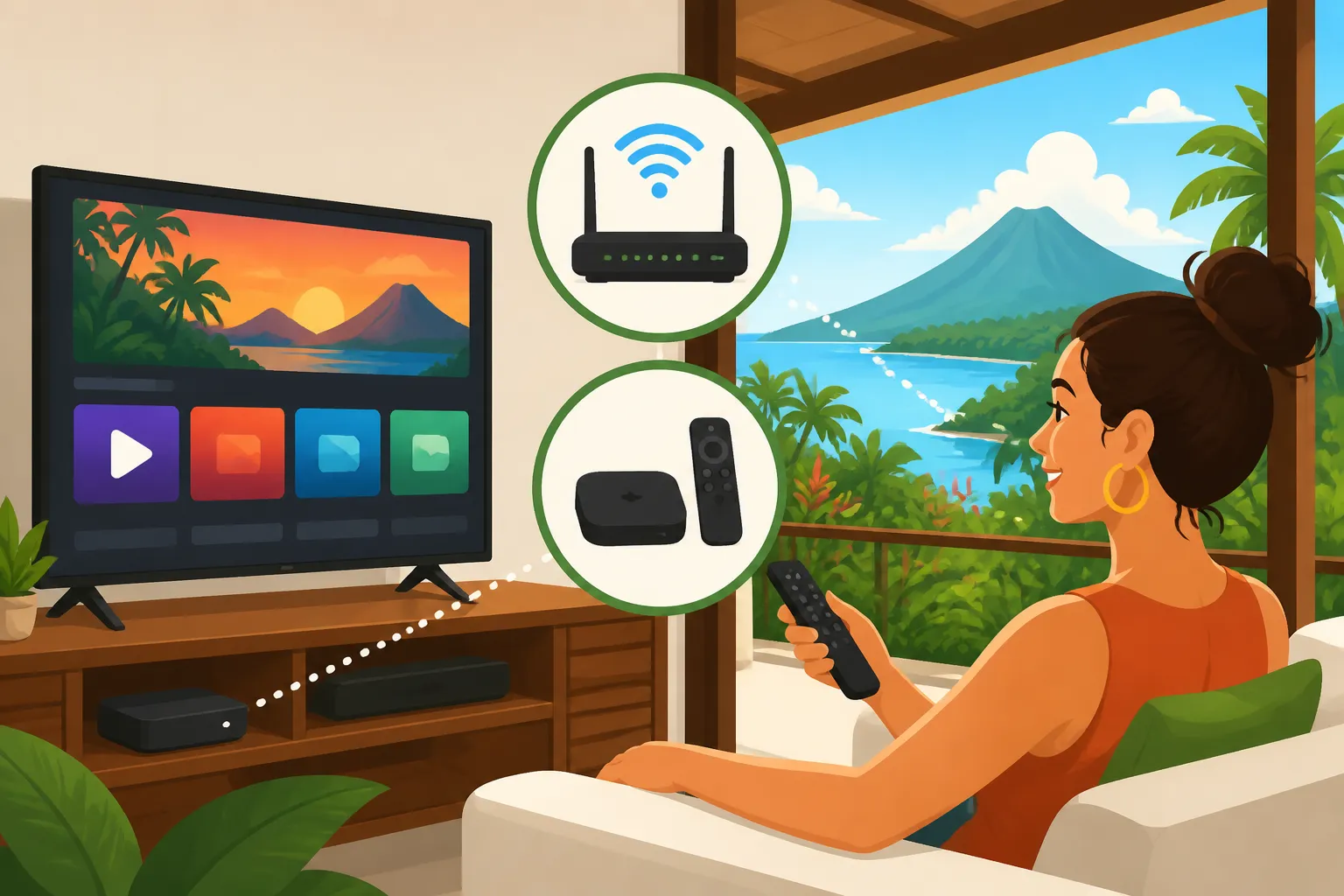
First, let's talk about the screen itself. If you've got a newer Smart TV, chances are it comes with many popular streaming apps pre-installed. You just need to connect it to your Wi-Fi, sign in, and you're good to go. However, some older or less expensive Smart TVs can have sluggish interfaces or limited app selections. This is where dedicated streaming devices shine.
Devices like Apple TV, Roku sticks, Amazon Fire Sticks, or Google Chromecasts are fantastic. They offer snappy performance, access to a vast array of apps (including most VPN apps on certain models), and are generally very user-friendly. They're also relatively inexpensive and portable, so you can easily take them with you if you move or travel within Costa Rica. I personally find them much more reliable than relying solely on a Smart TV's built-in apps.
Your Wi-Fi router is another unsung hero here. The router provided by your internet provider (Kolbi, Liberty, Tigo) might be fine for basic use, but for a larger home, multiple users, or heavy streaming, you might consider upgrading to a more powerful, modern router or even a mesh Wi-Fi system. These can extend your Wi-Fi coverage, eliminate dead zones, and handle more demanding bandwidth requirements, ensuring a smoother streaming experience across all your devices. Nothing is more frustrating than having killer internet speeds at your modem but terrible Wi-Fi in your living room because of a weak router.
The Setup Process: Step by Step
Alright, let's get practical. Here’s a typical rundown of how things usually go when you're setting up your entertainment.
- Internet Installation: This is the first and most crucial step. You'll contact your chosen internet provider (Kolbi, Liberty, or Tigo). Be prepared for scheduling challenges – "Tico time" is a real thing, and an appointment window might mean they arrive anywhere within that 4-hour slot (or even later!). Make sure you have your How to Use Your DIMEX to Access Healthcare in Costa Rica or residency card ready, as they'll need it for registration. The technician will come to your home, install the fiber line or cable, set up the modem/router, and verify the connection. They'll typically set up a basic Wi-Fi network name and password for you.
- Connecting Your Devices: Once the internet is live, it’s time to connect your Smart TV or streaming device. Go into the device's settings, find the Wi-Fi network, and enter the password the technician provided. If you’re using an Ethernet cable for a wired connection (always recommended for primary streaming devices if possible!), just plug it in.
- App Installation and Login: Open the app store on your Smart TV or streaming device. Download your preferred streaming apps (Netflix, Max, YouTube, etc.). Then, open each app and sign in with your account credentials. This is where your VPN comes into play if you're trying to access geo-restricted content. You'd typically enable the VPN on your device (or router) before opening the streaming app.
- Testing and Troubleshooting: Play some content! Check the picture quality, look for buffering, and make sure everything is running smoothly. If you encounter issues, a good first step is always to restart your router and your streaming device. Sometimes, a simple reboot is all it takes. If issues persist, check your internet speed using an online speed test tool. If speeds are lower than what you’re paying for, it might be time to call your internet provider.
Managing Your Subscriptions and Payments
Another common expat headache is managing payments for these services. Many of us arrive with foreign credit cards, and while most international streaming services accept them, you might run into a few snags.
Some services or local platforms might prefer a local Costa Rican credit card. If you're using a foreign card, be aware of potential foreign transaction fees from your bank, which can add up over time for multiple monthly subscriptions. Getting a local bank account and credit card, as covered in The Expat Guide to Opening a Bank Account in Costa Rica, is often the easiest solution for long-term residents.
Alternatively, some services allow payment via PayPal, which can bridge the gap between foreign and local payment methods. You might also consider virtual card services that allow you to manage subscriptions with a single, secure digital card. Just make sure whatever payment method you choose is reliable and doesn't get flagged for fraud, which can temporarily interrupt your beloved streaming.
Cost Considerations and Practical Tips for Expats
Let's talk colones and dollars. While Costa Rica offers an incredible lifestyle, it's not always as cheap as some imagine, and entertainment costs are part of the equation.
Breaking Down the Costs: Internet, Cable, and Streaming Subscriptions
Understanding the financial outlay for your entertainment setup is important. Here’s a general idea of what you might expect to pay, but remember, prices are always subject to change and vary by provider and package.
| Service Category | Typical Monthly Cost (CRC) | Notes |
|---|---|---|
| Internet (Fiber Optic) | ₡25,000 – ₡50,000+ | Speeds typically range from 50 Mbps to 300+ Mbps. Higher speeds for more users/4K streaming. |
| Internet (Cable/DSL) | ₡20,000 – ₡35,000 | Slower speeds, may not be ideal for heavy streaming. More common in less developed areas. |
| Basic Cable TV Add-on | ₡10,000 – ₡25,000 | Adds local channels and some international options, often as part of a bundle. |
| International Streaming (Netflix, Max, Disney+, etc.) | ~$10 – $20 USD each | Prices are often in USD and consistent globally, but content libraries differ. |
| VPN Service | ~$5 – $15 USD | Monthly cost if not paid annually. Essential for geo-unblocking. |
| Streaming Device (one-time) | ~$30 – $150 USD | Roku, Fire Stick, Apple TV, etc. A one-time investment for improved experience. |
Note: Costs are approximate as of 2024 and can vary. Conversion Rate: $1 USD ≈ ₡500-520 CRC.
As you can see, internet is your biggest recurring cost. International streaming services, while priced in USD, can add up quickly if you subscribe to several. If you're mindful of your overall The Complete Guide to Cost of Living in Costa Rica for Expats (2026), these are areas where you can trim expenses if needed.
Handy Tips and Tricks for a Seamless Experience
After years of living here and helping others get set up, I’ve picked up a few golden nuggets of advice:
- Invest in a Good Router/Mesh System: Seriously, if you have a larger home or multiple users, don't skimp on your Wi-Fi. A mesh system like those from Eero, Google Nest Wifi, or TP-Link Deco can make a world of difference in coverage and stability.
- Download Content for Offline Viewing: Many streaming services allow you to download movies and shows onto your device (phone, tablet, laptop) when you have Wi-Fi. This is a lifesaver for long car rides, power outages, or if your internet decides to be temperamental.
- Consider a Dedicated Streaming Device: Even if your Smart TV has apps, a separate device like an Apple TV or Roku often provides a smoother, faster, and more reliable streaming experience.
- Learn Basic Tech Spanish: When you have to call customer service for your internet provider, it helps immensely if you can explain your issue in basic Spanish. Phrases like "mi internet no funciona" (my internet isn't working), "no tengo señal" (I have no signal), or "está muy lento" (it's very slow) will get you much further. Consider taking some Learning Spanish in Costa Rica: A Complete Guide for Expats classes!
- Explore Bundles: Sometimes, providers like Liberty or Tigo offer attractive bundles that combine internet, cable, and even mobile phone service. While not always the cheapest, they can simplify billing and sometimes offer a discount.
- Backup Internet: For those critical moments when your primary internet is down (it happens!), having a backup plan is smart. An eSIM from a provider like Airalo can give you mobile data on the fly. It's a lifesaver if you're in the middle of a crucial work call or just need to check something online. Many expats also use their mobile phone as a hotspot in a pinch, but be mindful of data usage.
- Moving Services Advice: If you're just moving to Costa Rica, remember that services like Sirelo often provide comprehensive guides and even concierge services for setting up various utilities, including internet. They might have up-to-date information on the best local providers in your specific area.
Navigating the world of TV and streaming in Costa Rica can initially feel like a puzzle, but with a bit of planning and the right tools, you'll be enjoying your favorite entertainment in no time. Pura Vida!
Disclaimer
The information provided in this guide is intended for general informational purposes only and does not constitute professional advice. While we strive to keep the information accurate and up-to-date, circumstances in Costa Rica (such as laws, regulations, prices, and service availability) can change rapidly. Expats should always consult with local professionals, service providers, or official government sources for the most current and specific information relevant to their individual situation. We are not responsible for any actions taken based on the information presented herein.